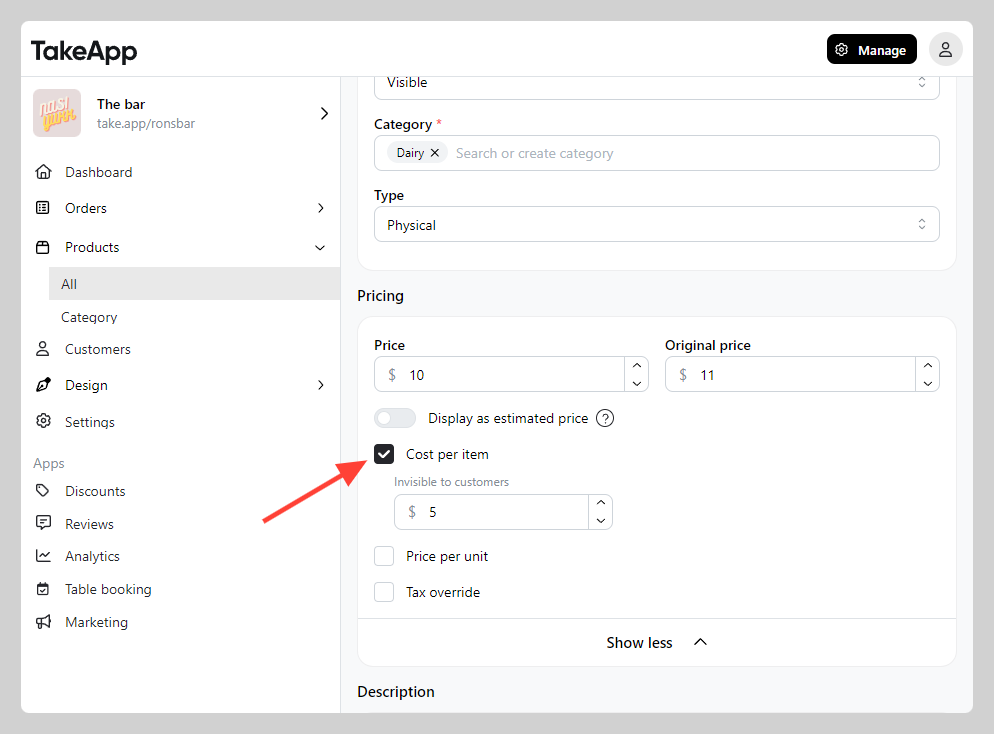
Add product cost to track the profit margin of each product.
How to add product cost
-
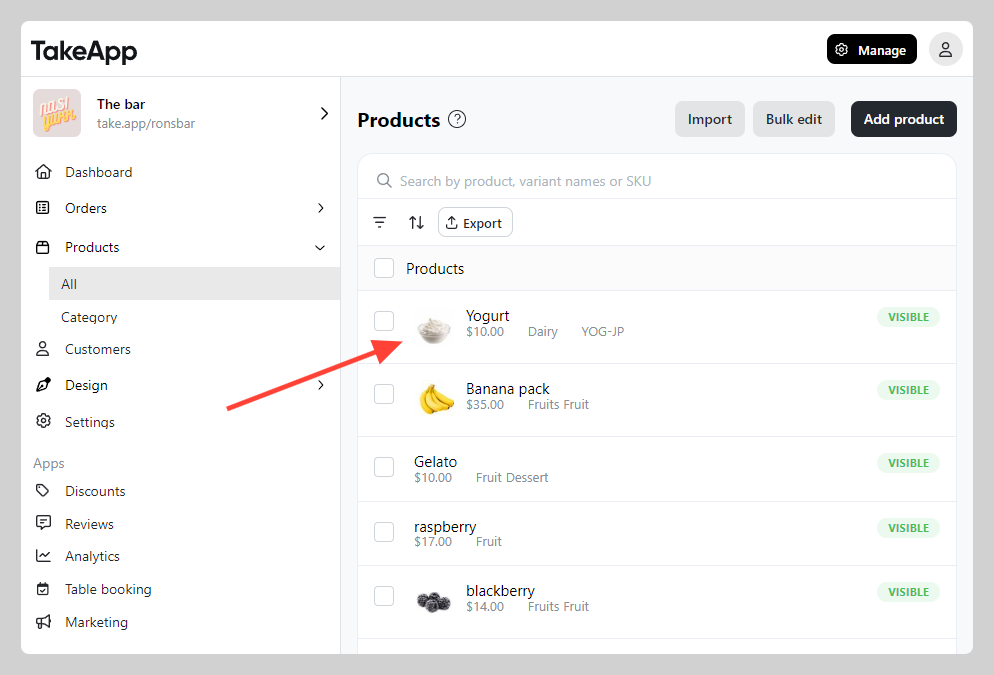
Go to Admin > Products > All > Choose one of the product that wish to add the cost
-
Navigate to "Pricing" section and click on
Show more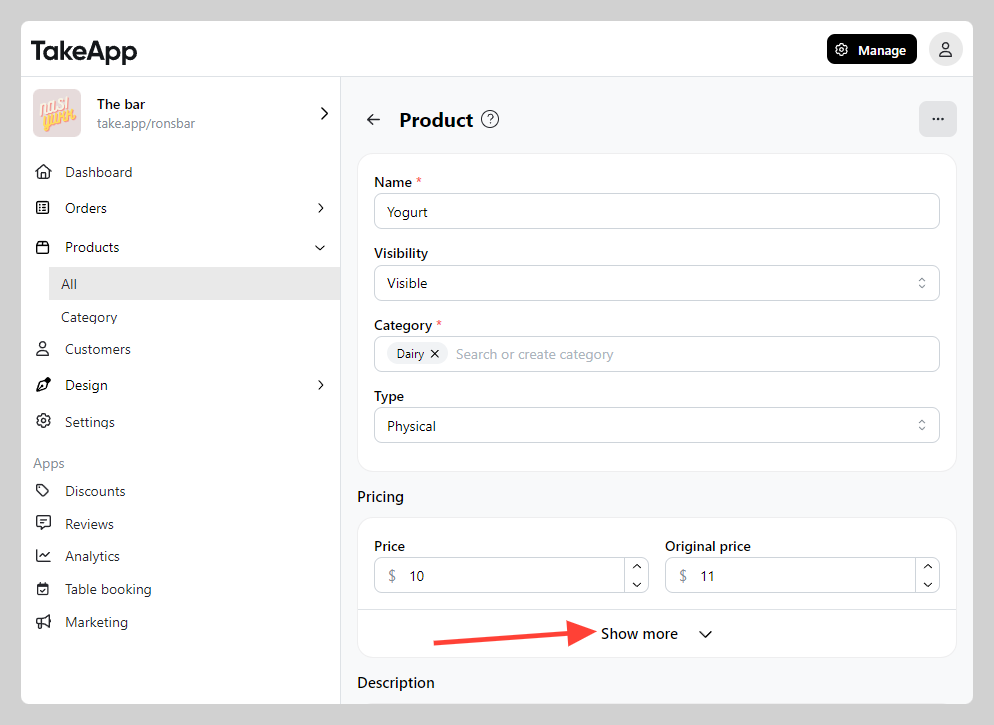
-
Toggle on "Cost per item". Fill the item's cost amount. Click
Save