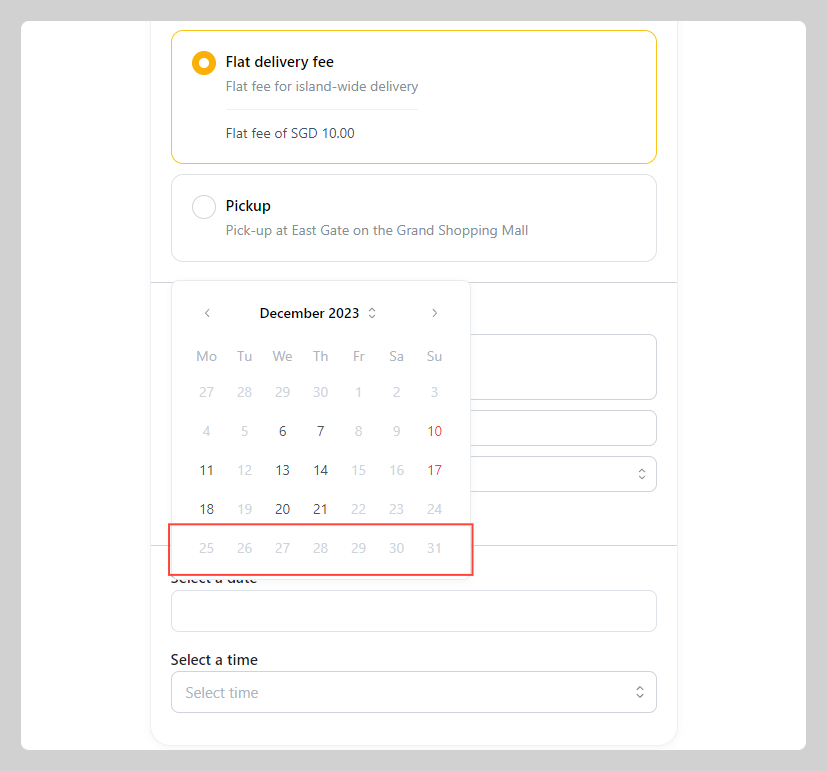
You have the option to mark specific dates on the calendar as unavailable for delivery or pick-up, or to delete previously marked unavailable dates. This feature proves beneficial for overriding specific dates within your regular weekly service hour schedule and ensuring flexibility in your delivery schedule.
Take App allows you to customize your delivery schedule to suit your business needs. You can set specific days as available or unavailable, ensuring that customers can only select delivery dates that work for you.
How to manage availability and troubleshoot issues
-
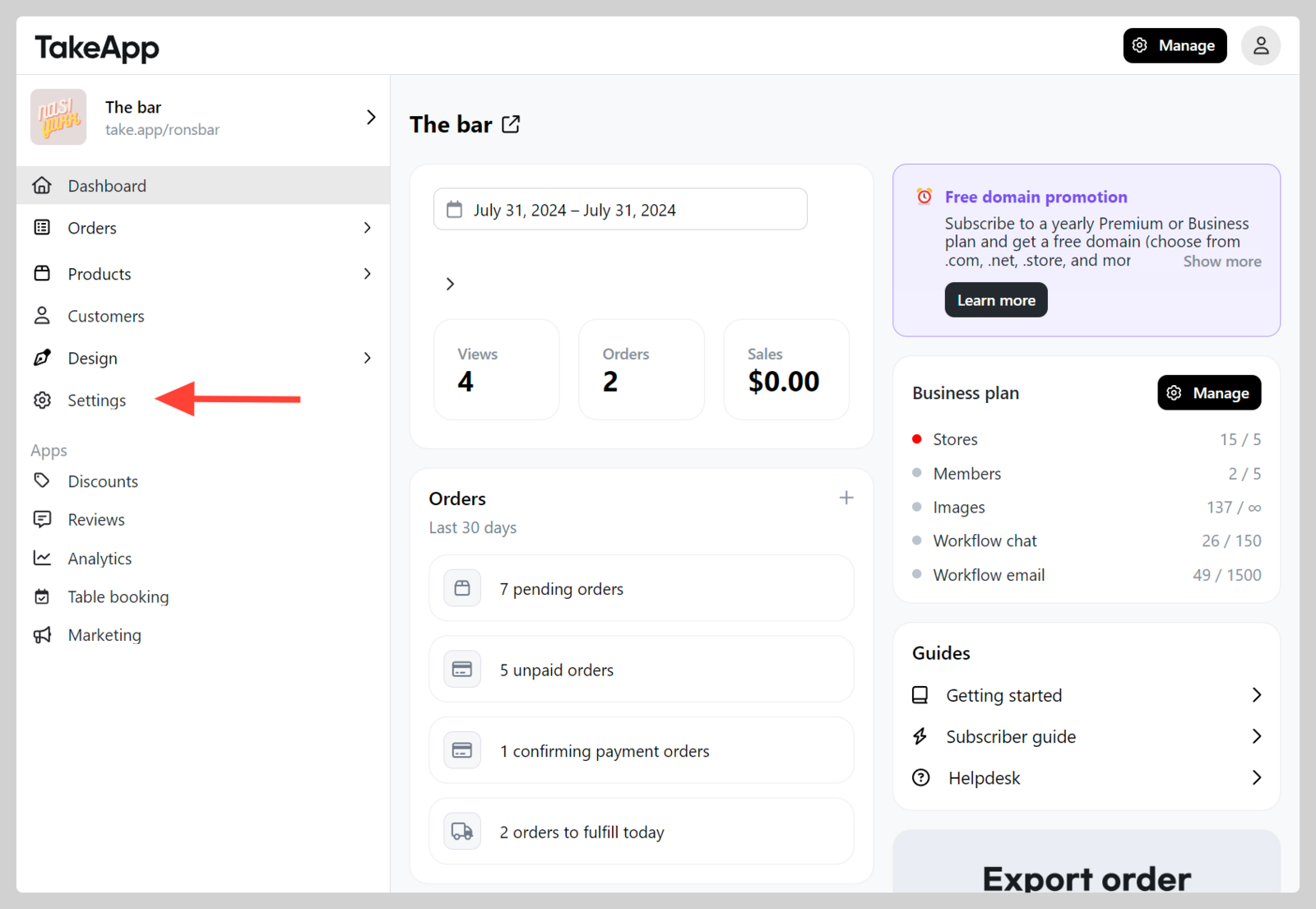
Go to Admin > Settings
-
Navigate to Delivery > Click
Manage availability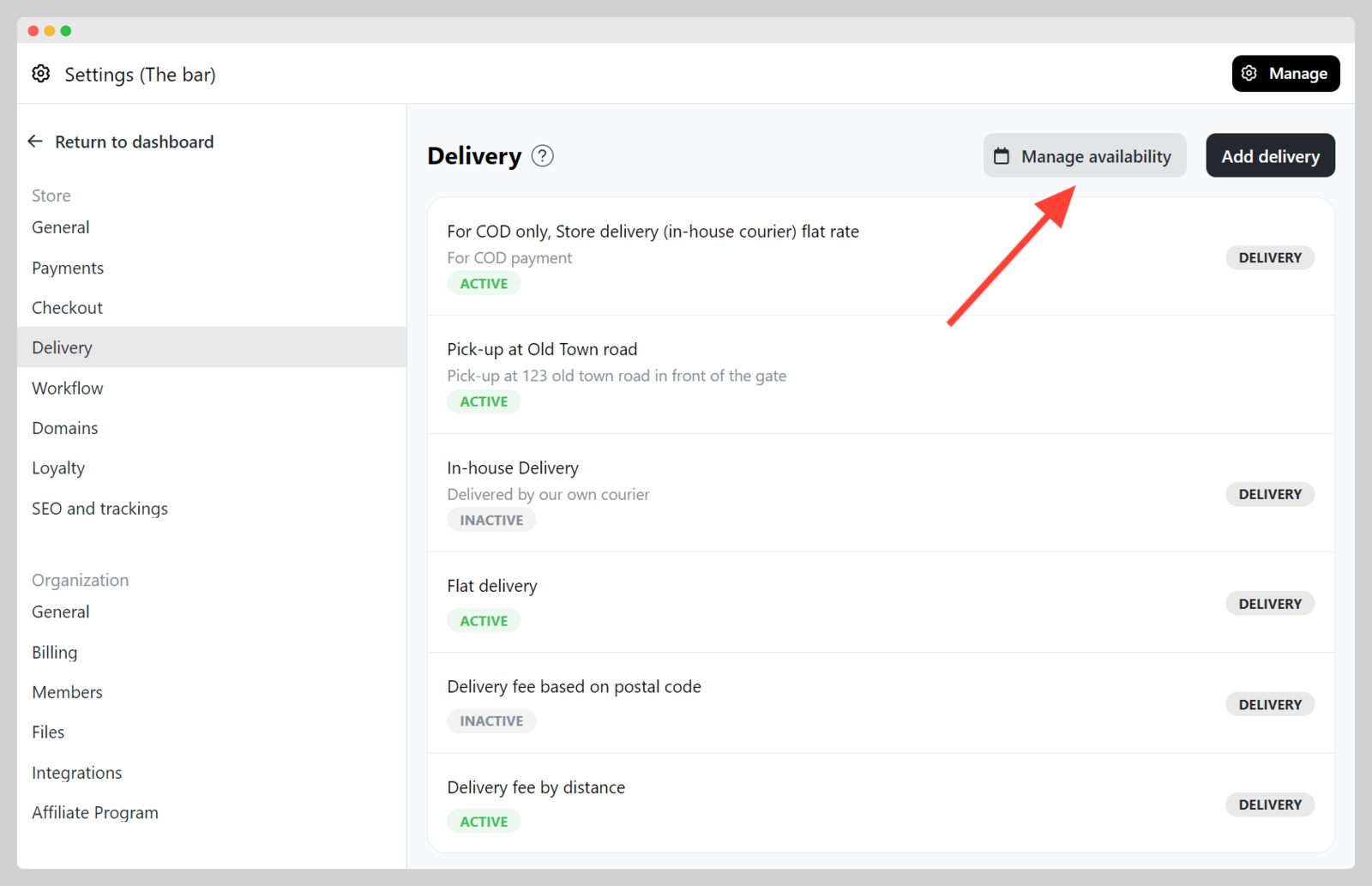
-
Click
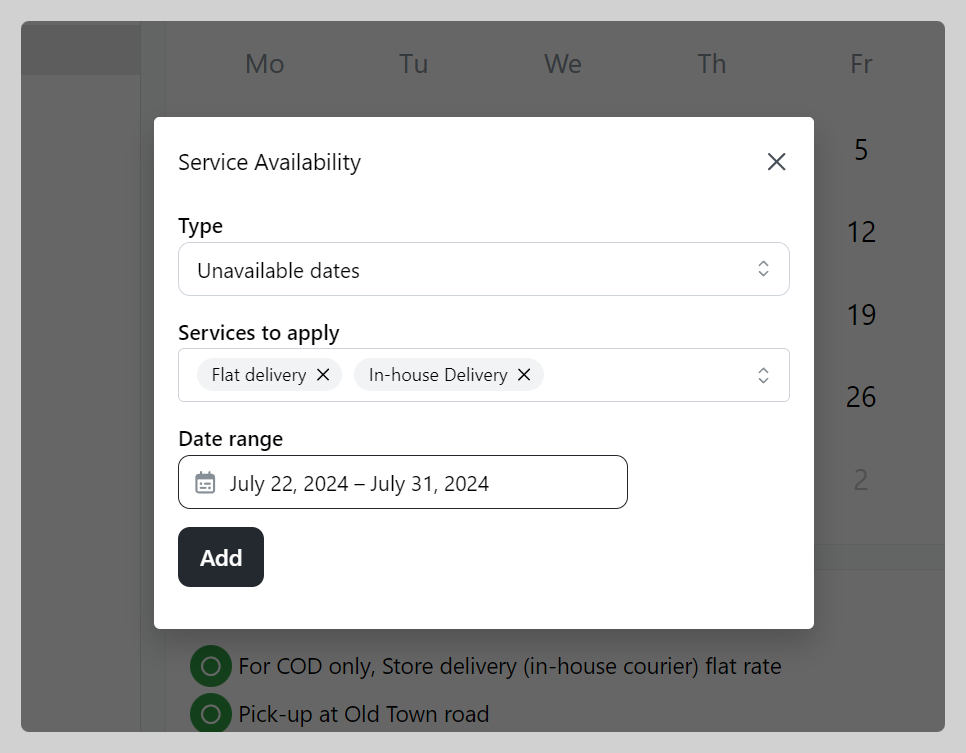
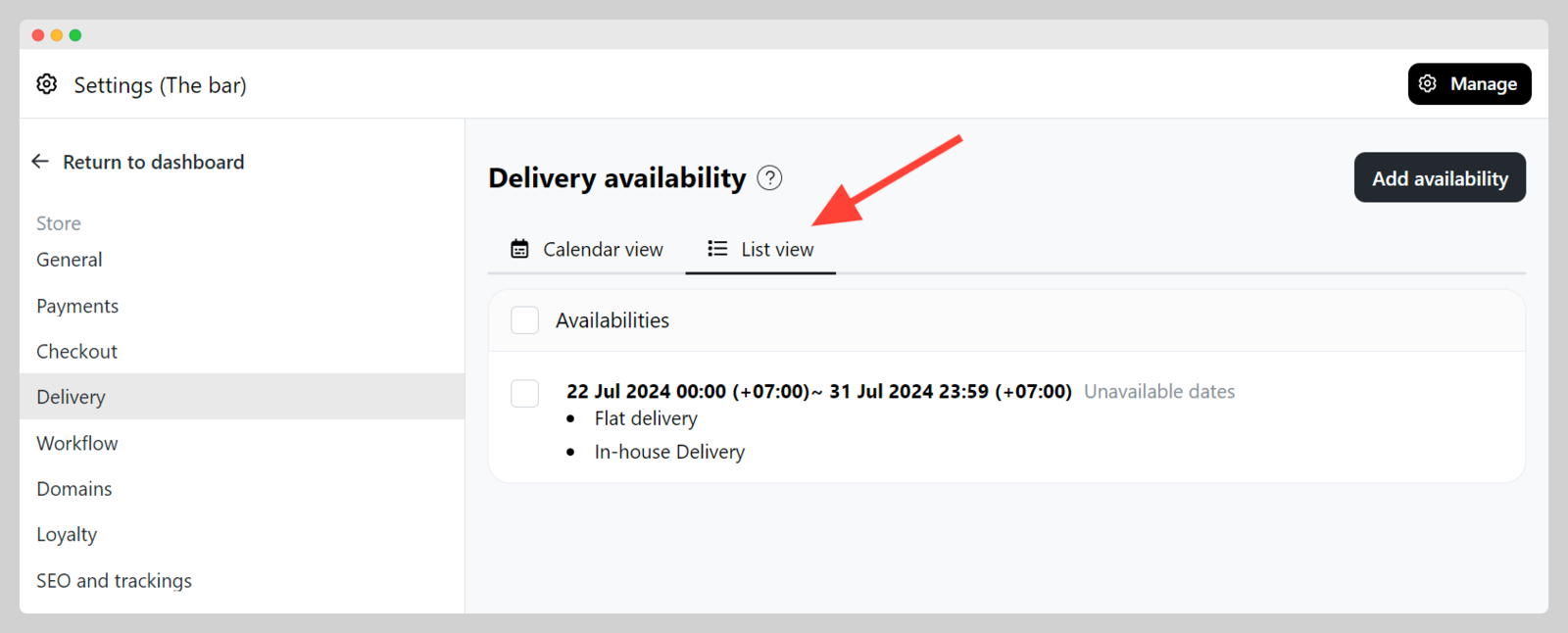
Add availabilityand set the unavailable type of delivery/pick-up and the date range, then clickAdd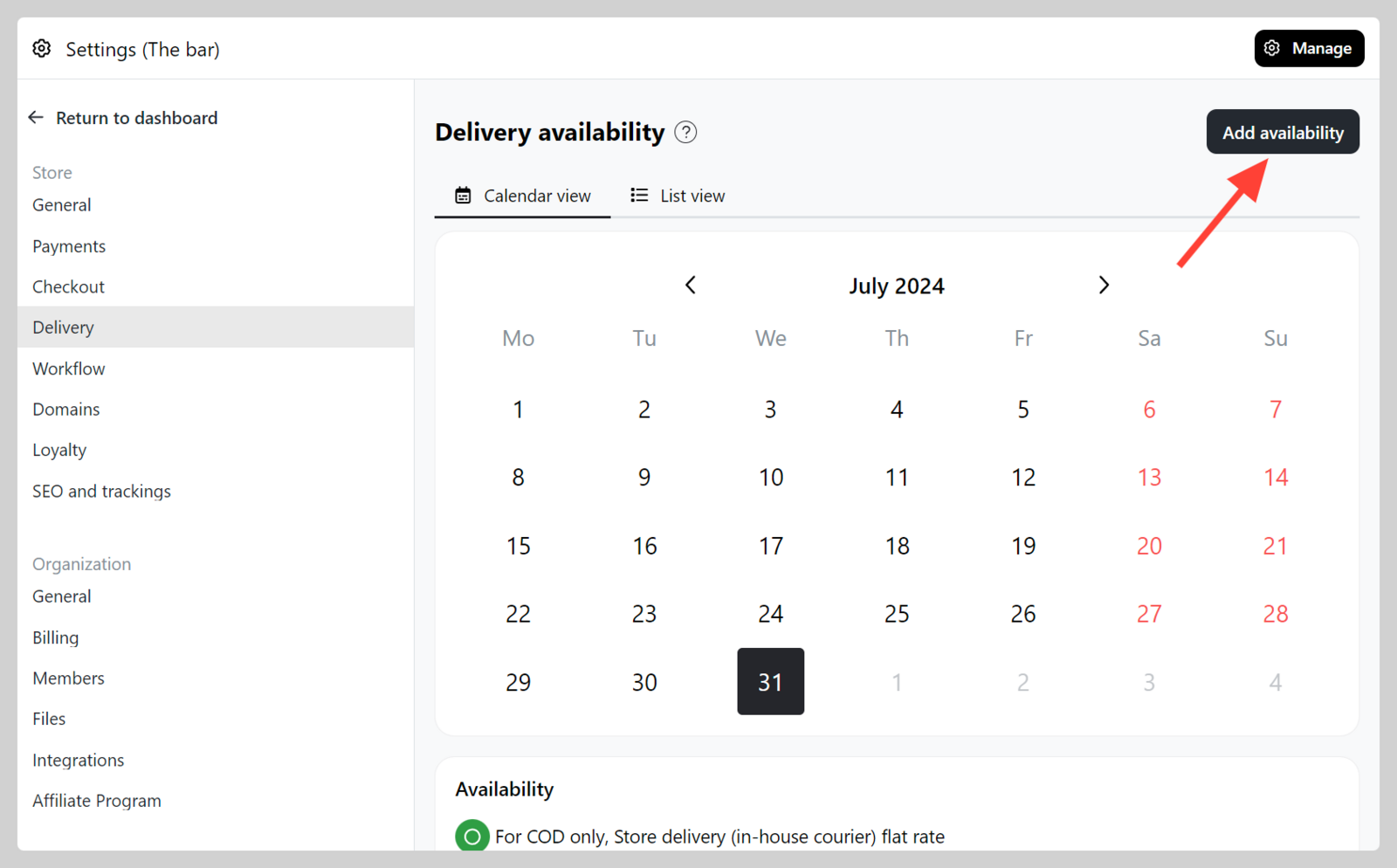
-
Verify the availability adjustment on the checkout page for the designated delivery/service that you've marked as unavailable.